
TL;DR
- Google for WooCommerce supports one language per store today. Merchants selling across borders face the challenge of localizing their product data.
- About a third of WooCommerce stores already run a multilingual plugin. Those stores show significantly higher median monthly GMV.
- We are designing a “Markets” feature: one store, one Google Merchant Center account, separate language and currency feeds, all synced in real time.
- We are evaluating compatibility with WPML, Polylang, TranslatePress, Weglot, WP Multilang, Loco Translate, and MultilingualPress.
- The design is still open. We want your input before we lock anything in. Questions for you are at the bottom of this post.
The problem, in one scenario
A merchant in Belgium runs a single WooCommerce store. Their products are listed in Dutch, French, and German, because those are the languages their customers speak. They install Google for WooCommerce, connect their Merchant Center account, and wait for sales.
In this configuration, the merchant can sync product data in only one language to Google. The other two feeds never exist. The merchant’s product feed does not have optimized data for a substantial number of potential customers.
This is the default setup for many WooCommerce stores today. Handling multi-market product feeds is complex. We have been hearing this frustration from merchants for a long time, and we are working on it.
Why product feeds matter more than they used to
A product feed is a structured export of your catalog. It carries titles, descriptions, prices, stock levels, images, GTINs, shipping, and tax data. That data goes to Google Merchant Center, which powers Google Shopping, Performance Max campaigns, and organic product listings. Those listings can appear across Google Search, the Shopping tab, Images, YouTube, and Gemini.
Product feed data quality used to be mostly a Shopping ads concern. Today, it decides whether your products show up across Google’s full discovery layer at all.
Think of the feed as a structured representation of your product catalog. If the data is wrong, missing, or in the wrong language, your products are most likely invisible. A beautiful storefront does not change that if your audience never reaches it.
Google enforces strict rules on this data:
- The currency in the shipping attribute has to match the price currency.
- Required attributes cannot be empty.
- Landing pages have to match what the feed says.
Mismatches trigger automatic disapproval. Advertisers lose ad spend every month to errors that should have been caught upstream.
The same feed data is starting to feed AI shopping tools. Without clear multilingual signals in the structured data, those tools may not show the product across markets, or they may treat it as separate, unrelated entities in different languages. Your product catalog will not get the visibility it deserves, and it will get fragmented across markets before any shopper sees it.
Ultimately, multilingual selling is a high-GMV pattern. International growth means new markets. New markets mean product data in more than one language.
What we know:
- About a third of active WooCommerce stores already run a multilingual plugin.
- Stores selling in multiple languages have a significantly higher median monthly GMV.
Localization is more than translation
This is the point that makes the localization of product data complex.
Translation changes words. Localization makes the offer valid in a specific market. A market is a country with one or more native languages, a primary currency, a tax configuration, and shipping rates and methods for that destination.
Some languages are relevant for multiple markets. English may be relevant in markets where it is not the official language. For some markets, it gets even more complex:
- Afghanistan: 2 official languages, 1 currency.
- Algeria: 2 official languages, 1 currency.
- Belarus: 2 official languages, 1 currency.
- Belgium: 3 official languages, 1 currency.
- Bolivia: 37 official languages, 1 currency.
- Cameroon: 2 official languages, 1 currency.
- Canada: 2 official languages, 1 currency.
- Cyprus: 2 official languages, 1 currency.
- Eswatini: 2 official languages, 1 currency.
- Fiji: 3 official languages, 1 currency.
- Finland: 2 official languages, 1 currency.
- India: 22 official languages, 1 currency.
- Ireland: 2 official languages, 1 currency.
- Kenya: 2 official languages, 1 currency.
- Luxembourg: 3 official languages, 1 currency.
- Malta: 2 official languages, 1 currency.
- New Zealand: 3 official languages, 1 currency.
- Pakistan: 2 official languages, 1 currency.
- Papua New Guinea: 3 official languages, 1 currency.
- Paraguay: 2 official languages, 1 currency.
- Philippines: 2 official languages, 1 currency.
- Singapore: 4 official languages, 1 currency.
- South Africa: 12 official languages, 1 currency.
- Sri Lanka: 2 official languages, 1 currency.
- Switzerland: 4 official languages, 1 currency.
- Zimbabwe: 16 official languages, 1 currency.
Each market needs its own configuration of language, currency, tax, and shipping. Getting the translated text right is just the start.
Today, merchants who want all of this stitch together separate plugins, upload feed files by hand, or maintain several Merchant Center accounts and sub-accounts in parallel. All these approaches are fragile and manual.
What we are building: Multi-market feeds
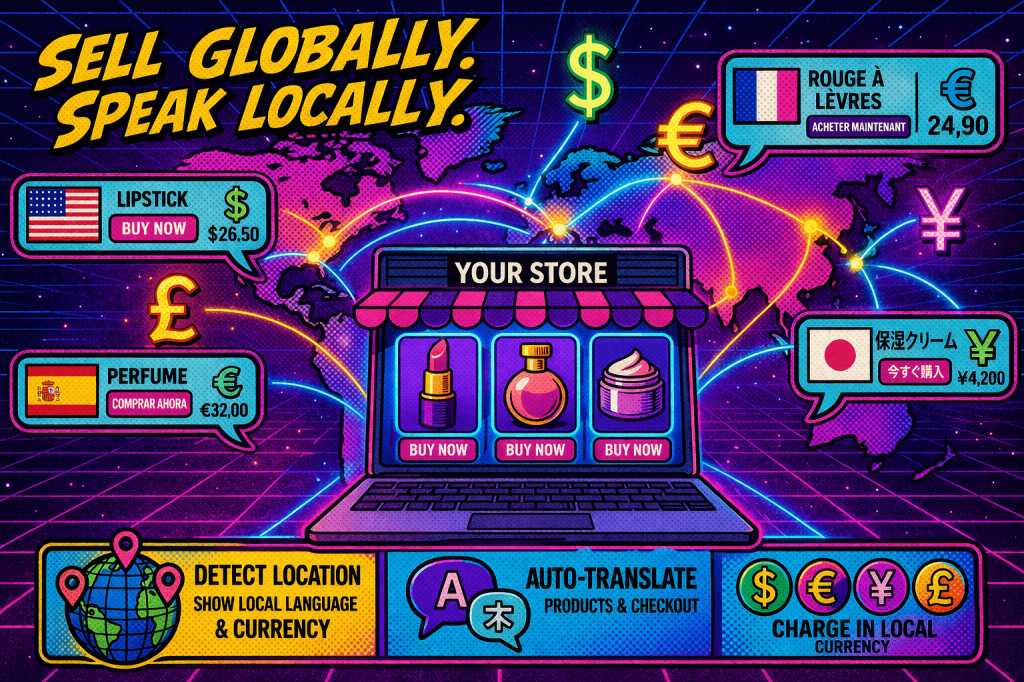
The core idea: instead of a single feed per language, the Google for WooCommerce plugin will support multiple market feeds, organized by target country. We are calling these “Markets” in the UI. Each market has its own language selection (one or more), its own currency, and its own shipping configuration.
That means no separate Merchant Center accounts, no manual uploads, and no parallel plugins. One plugin, one account, many markets.
We want to make selling in multiple markets as frictionless as possible. Getting the structured data right from the start is exactly the kind of work our plugin should handle for you.
Looking at the Belgium example again, this time with the new feature:
The merchant adds Belgium as a market in Google for WooCommerce, selects Dutch, French, and German as languages, sets Euro as the currency, and picks a shipping configuration. In the background, the plugin creates the relevant language-specific product data, one feed per language, and syncs them to Google in real time. Updating a product in WooCommerce automatically updates all language feeds.
What next?
Multilingual stores are built on translation plugins. Our integration has to work with the tools merchants already have installed. Nobody should rebuild their stack to use this feature.
The current shortlist of plugins we are evaluating for compatibility:
- WPML.
- Polylang.
- TranslatePress.
- Weglot.
- WP Multilang.
- Loco Translate.
One honest note on complexity. These plugins do not always define explicit language-currency pairs in a way we can read automatically. Where the data is not clear enough, our UI will let merchants configure those pairings manually.
If you are running a plugin we have not listed, please tell me. We want to make this the best plugin to handle multilingual product feeds for Google.
We are in the design and validation phase. Nothing is locked. That is on purpose. The merchants who will actually use this should help shape it.
A few questions we would love answered:
- Which multilingual plugin are you running today?
- Are you already syncing products to Google in multiple languages? If yes, how are you doing it?
- What is the single biggest pain point in your current setup?
- Which markets and currencies matter most to your business?
- Is there a workflow or edge case we should know about before we ship the feature?
Drop a comment below or reach out via any social media channel.
 Matthias Reinholz
Leave a comment